Getting paid
Switch on EFT or PayFast, and every unpaid customer invoice has its own pay page: your customer pays from it, with no login.
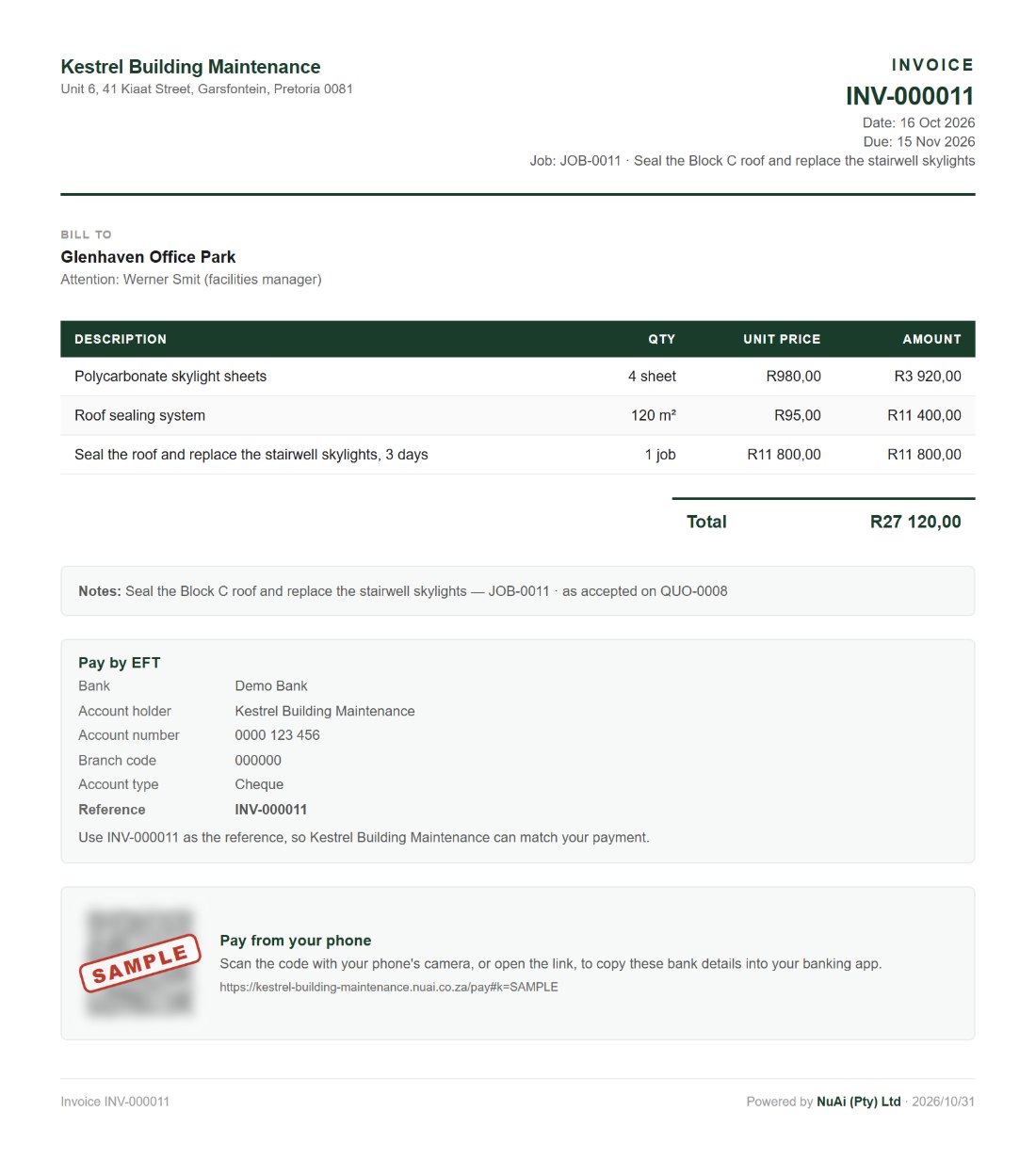
kestrel-building-maintenance.nuai.co.za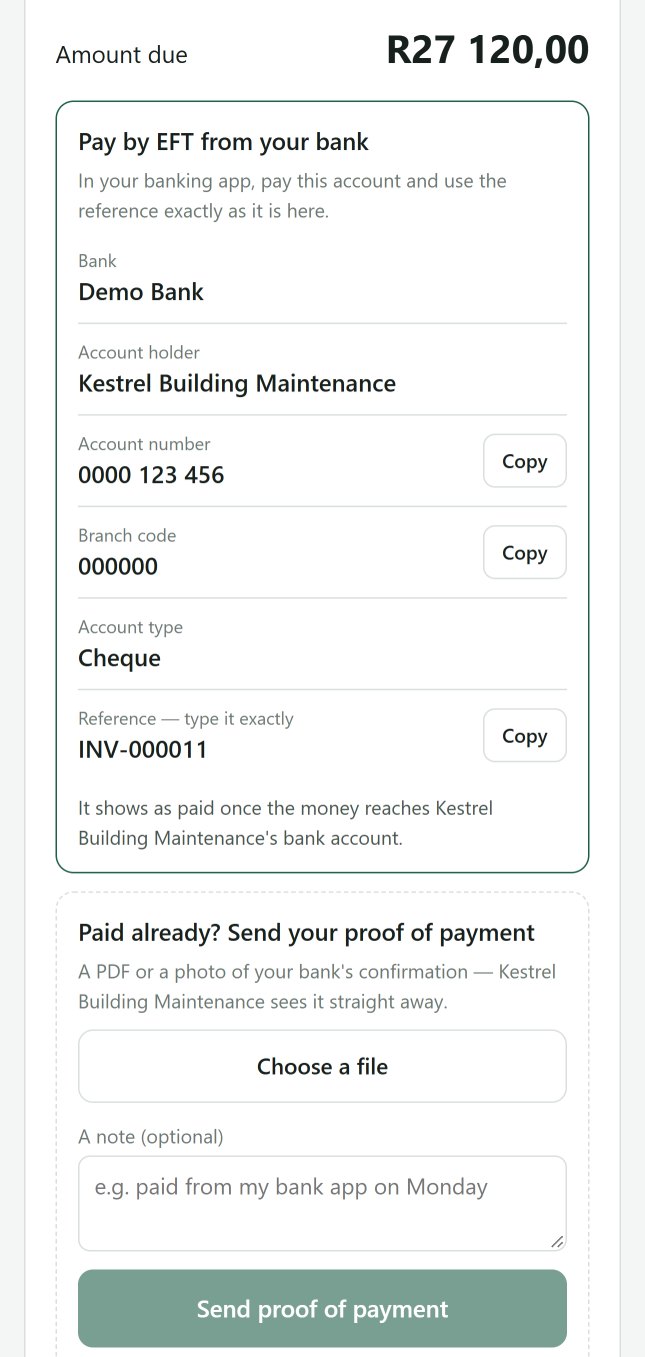
What it does
- Its own web page on your own address: no login, no app
- It opens from the Pay now button in the e-mail, from the QR code printed on the invoice and its PDF, or from a link you send on WhatsApp
- Card or instant EFT through your own PayFast account, or EFT from their own bank with your details and the invoice number ready to copy
- Card payments have run on PayFast's test account so far: no live card payment yet. PayFast takes no vape, tobacco or controlled-substance sales, so those shops use EFT
- Paid already? The customer sends their proof of payment from the same page, a PDF or a photo, and you see it on the invoice, on the bell and by e-mail
- Change your bank details and the invoice stops showing them until the owner confirms the new ones
- Payments: what was paid, into which account, and any credit held
In the works
- Debit orders and card-on-file for monthly members